
Mongoose Drive Monitor
Keep an eye on your drives, with clear advice.
Is a drive overheating, running out of space or reporting new errors? Mongoose Drive Monitor gathers available readings in a Windows application and helps you understand what needs attention. Check the essentials, explore detailed counters and revisit important events for each drive.
Your preferences and history stay on your computer. No account, advertising or usage analytics.
Mongoose Interactive’s role: end-to-end planning, design, and development.
Software: free for personal and professional use · Windows x64 · French and English · proprietary code
Version 2.3.0 · Portable Windows x64 ZIP · 112.40 MB (112,399,352 bytes) · .NET runtime included. Verified on Windows 11 x64. Windows 10 22H2 compatibility depends on your configuration and drivers and remains to be confirmed.
This release is unsigned. Windows may display a publisher warning. Check the file’s origin and SHA-256 without disabling Windows protections. The checksum verifies file integrity, not the publisher’s identity. Available health readings depend on hardware and drivers. A healthy status does not guarantee that a drive will not fail. Keep verified backups of important files.
Check the archive’s SHA-256
876BD6B277EE8305B628B907938AEFA5C67DCCA94ADF58AD39C42EA312F00372
Essential at a glance, details when you need them
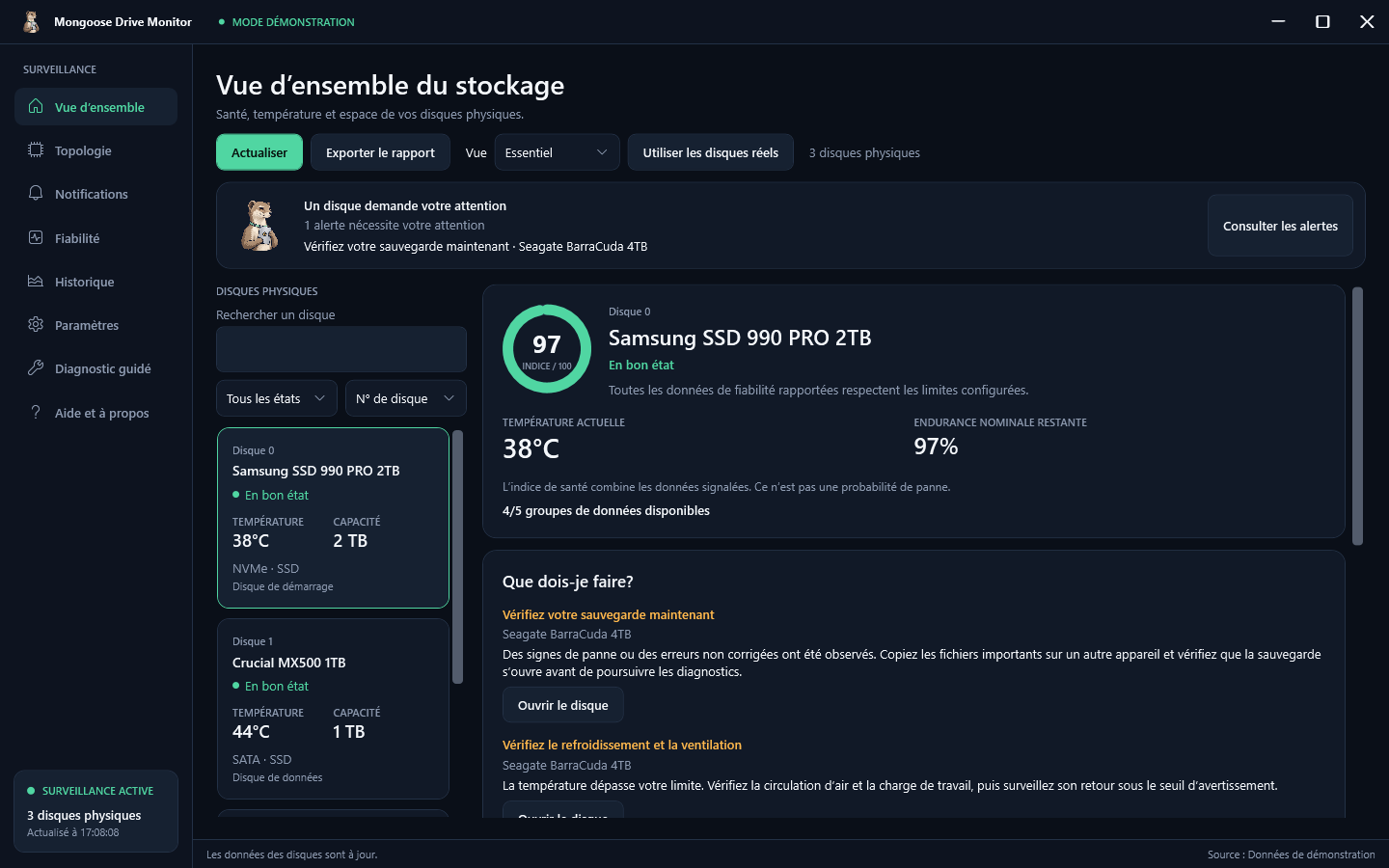
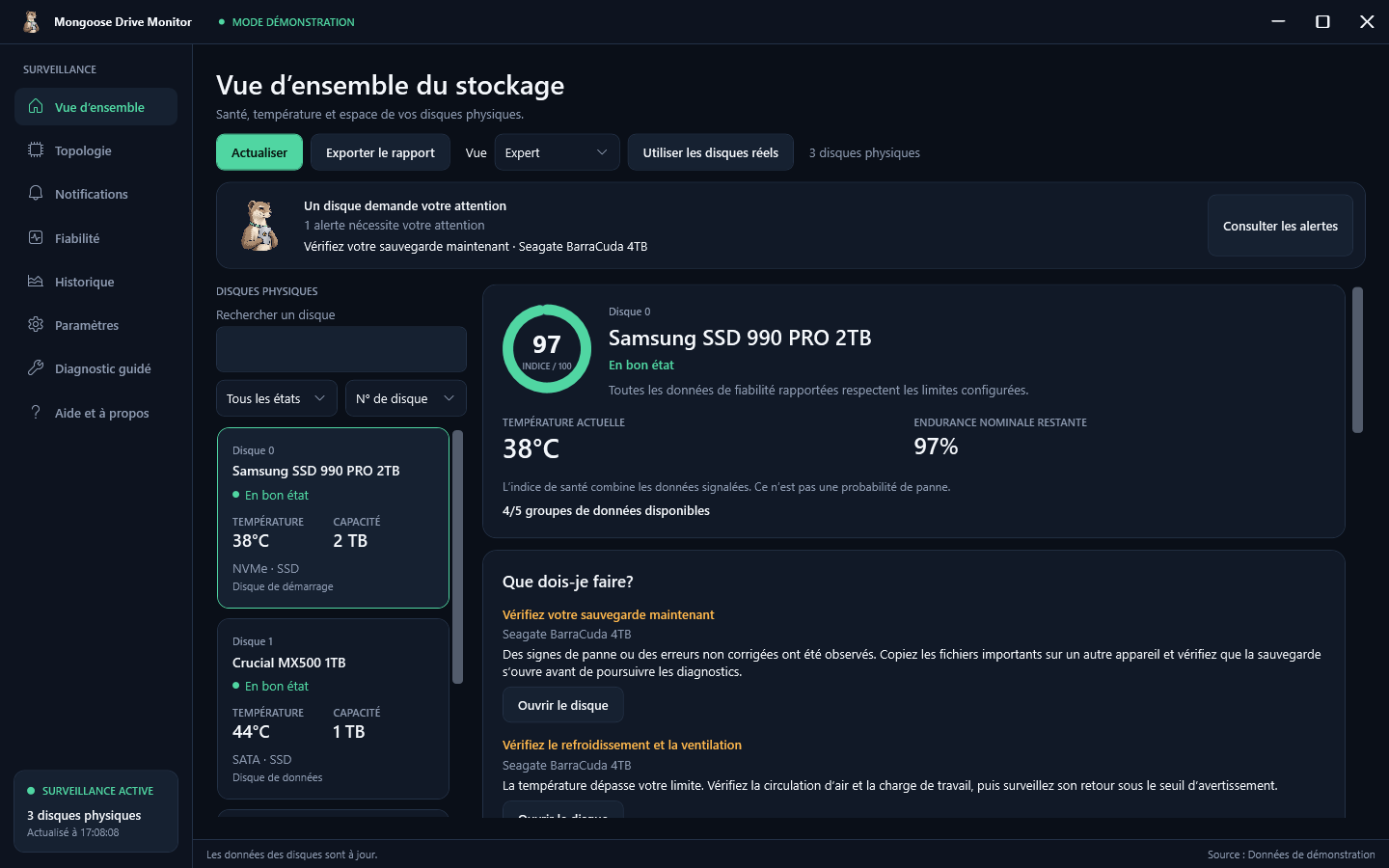
The Essential view shows drive health, temperature, endurance when available, and volume space. Expert adds hardware information and detailed counters to investigate further. Search, filters and sorting help you find a drive among multiple devices.
Warnings that tell you what to do
The “What should I do?” section ranks advice based on observations: check a backup, improve cooling, watch errors, prepare to replace a worn SSD or free up space. Each recommendation explains why it matters and opens the affected drive. The advice helps you choose your next steps. No repairs or file deletions run automatically.
See what the diagnosis can cover
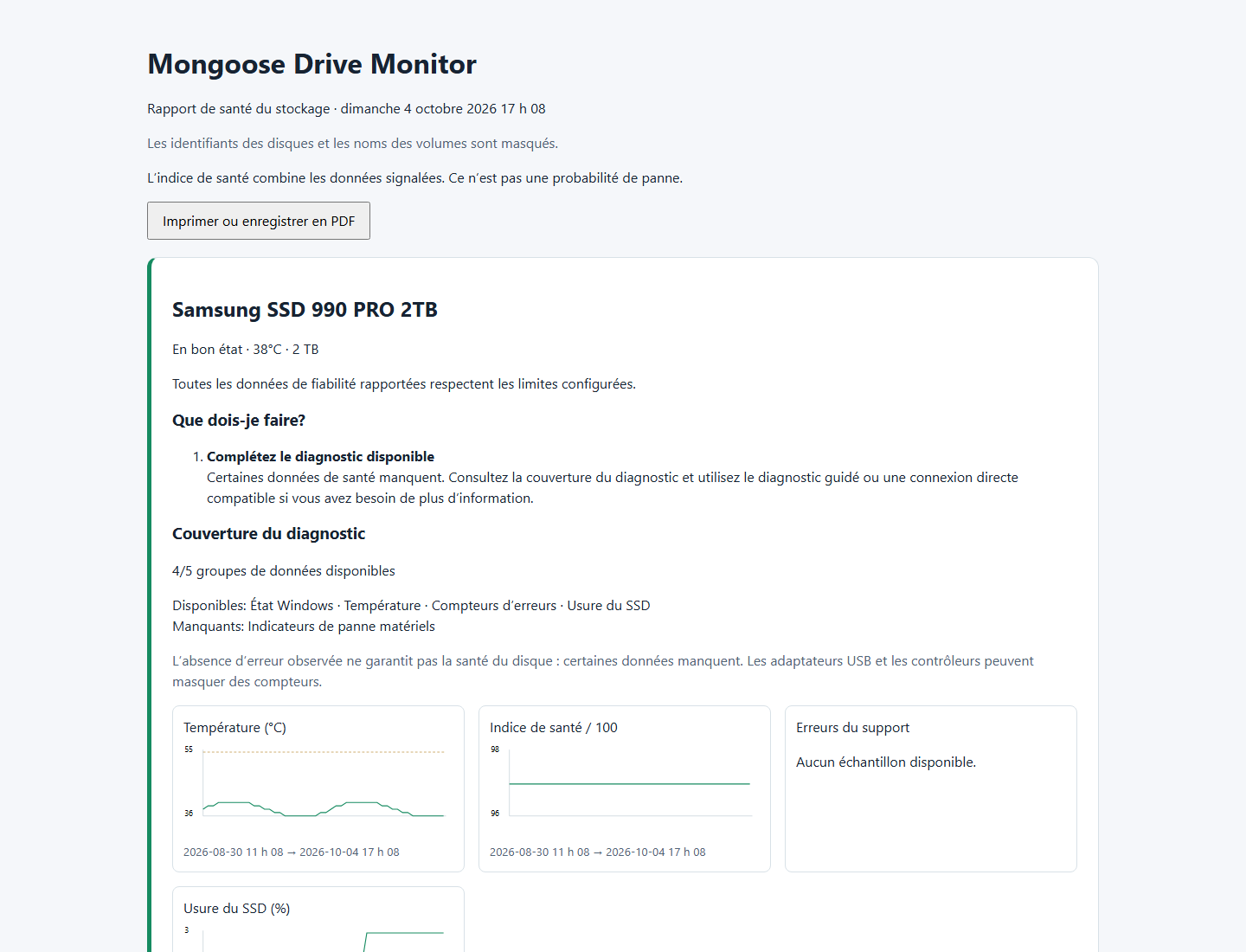
Mongoose Drive Monitor distinguishes available readings from missing data. You can see which groups are accessible: Windows status, temperature, errors, hardware failure indicators and SSD wear where applicable. Missing readings stay marked as missing. A USB adapter, controller or driver may limit the data even when Windows detects the drive.
History and a timeline for each drive
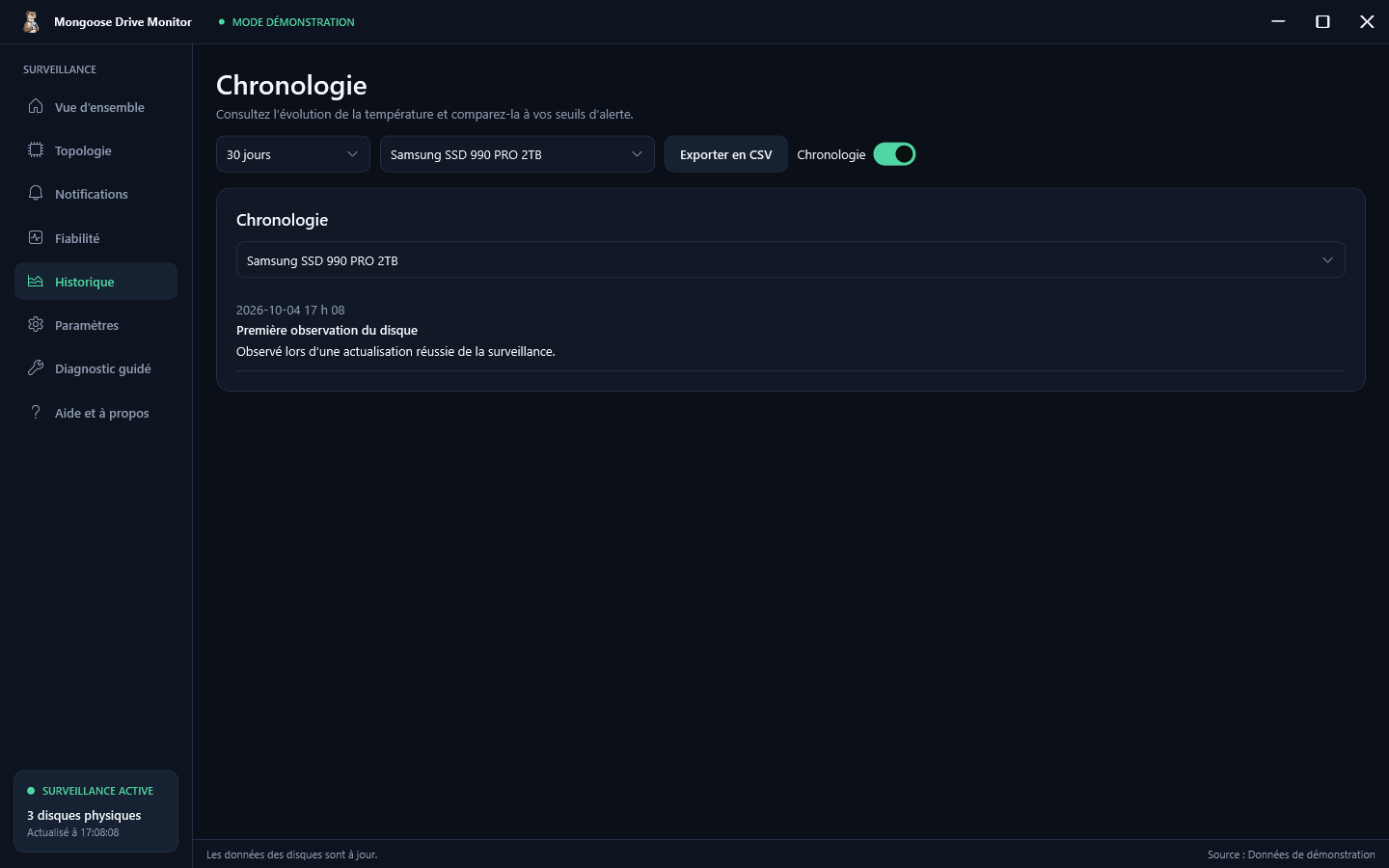
View readings over 24 hours, 7 days, 30 days or the retained period, then export them to CSV. The Timeline gathers alerts, counter changes, observed connections and disconnections, and results from diagnostics and self-tests. Recording takes place while the application is running and history is enabled. Time when it is closed cannot be reconstructed. Retention is configurable from 1 to 365 days.
Notifications that fit your day
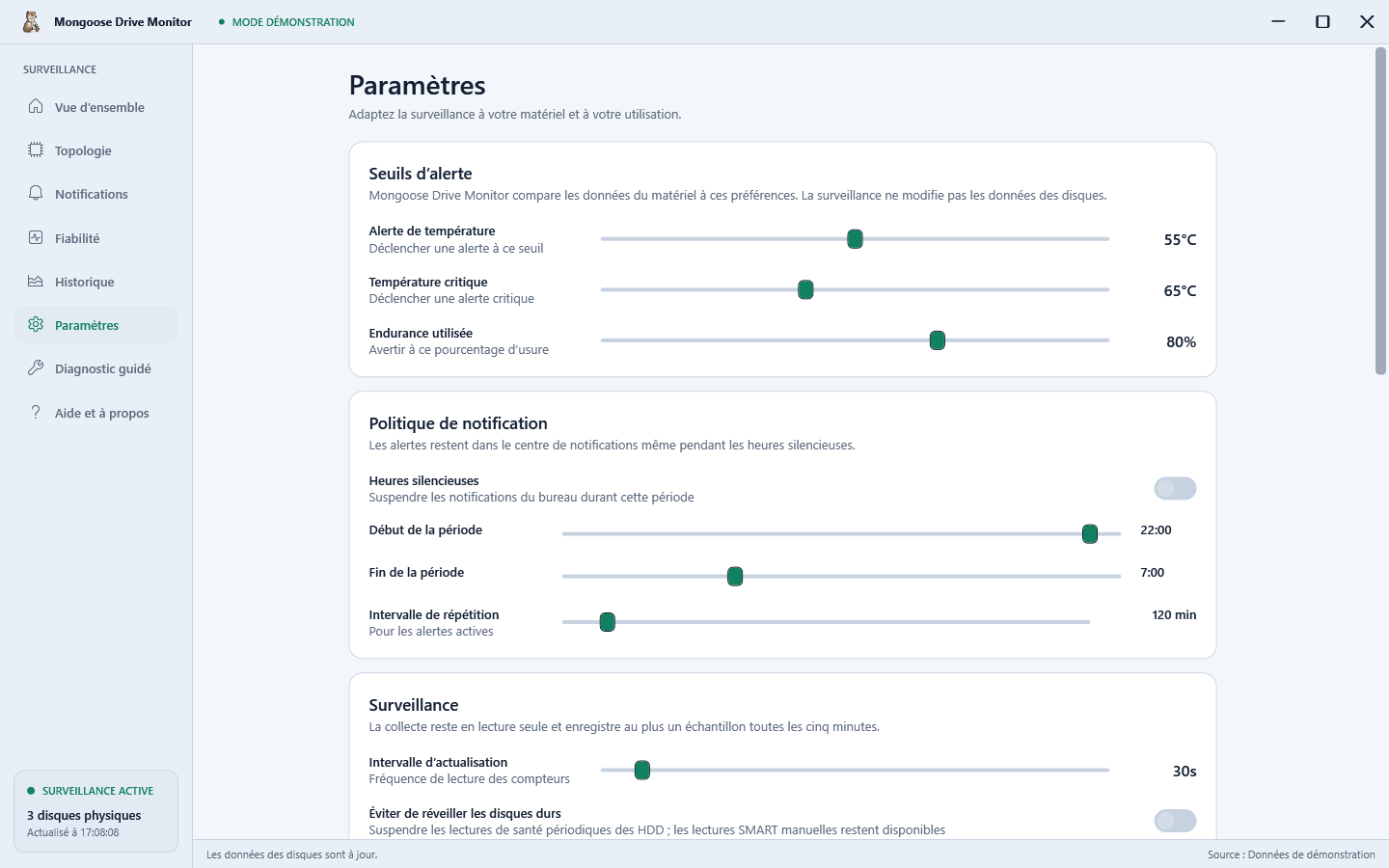
Receive local alerts in the Windows notification center and open the affected drive directly from a notification. Set thresholds, quiet hours and warning repetition; acknowledge or snooze alerts in the application. You may choose to start Mongoose Drive Monitor at Windows sign-in and keep monitoring in the notification area. Startup with Windows is optional and disabled by default. Monitoring requires the application to keep running, including when minimized.
Clear reports you can view offline
Export a self-contained HTML report with drive status, advice, diagnostic coverage, available charts and recent events. It opens in a browser without a connection and can be printed or saved as PDF using the browser’s print function. Text and JSON formats remain available. Reports hide serial numbers, drive identifiers and volume labels by default; you may choose to include them. Review the content before sharing: some messages may still include local paths.
Diagnostics to investigate further
Read detailed SMART data and follow guided diagnostics when supported by the hardware. Short or extended self-tests require smartmontools, installed separately, and a compatible drive and controller. Some readings or actions require Windows administrator approval. Guided diagnostics can read existing Windows logs. Temporarily re-enabling a disabled drive requires your explicit consent for that drive and Windows approval, with restoration of its state planned in the diagnostic workflow.
An interface with its own mascot
The Mongoose Drive Monitor mongoose accompanies monitoring with three expressions: observing, attention and diagnosing. Text always describes the displayed state. Choose the light or dark theme, French or English, and reduced animations to suit your preferences.



What’s new in version 2.3
Version 2.3 adds new ways to understand your drives and follow changes over time.
- Essential and Expert views to choose the level of detail.
- Priority advice and explanations of available and missing data.
- A persistent timeline for every drive.
- Offline HTML reports with charts and printing.
- Windows notifications that open the affected drive.
- Optional launch at Windows sign-in.
- Three mascot expressions to accompany monitoring states.
Get started in a few steps
Download the Windows x64 archive. Extract all its contents into a stable folder, then open MongooseDriveMonitor.exe with MongooseDriveMonitor.Helper.exe in the same folder. Choose your language and start monitoring. The .NET runtime is included. Ordinary monitoring runs without an administrator account. Close the previous monitor before starting this release.
Frequently asked questions
Is Mongoose Drive Monitor free?
Yes. The official executables are free for personal and professional use. The source code remains proprietary. The licence included with the software gives the full terms.
Which types of drives can it monitor?
NVMe and SATA SSDs, hard drives and external devices recognized by Windows, depending on the data exposed by their drivers and controllers. USB adapters and RAID controllers may hide counters or prevent self-tests. Windows Storage Spaces topology is displayed when available.
Why are some readings missing?
A drive, driver or adapter does not always expose every reading. Mongoose Drive Monitor marks missing data instead of replacing it with zero. Remaining endurance generally applies to SSDs; its absence on a mechanical hard drive is normal.
Does the score predict a failure?
The score summarizes available readings and configured thresholds. It is neither a probability of failure nor a failure date. Drives can fail without warning; backups remain necessary.
Is my data sent to Mongoose Interactive?
Preferences, alerts and history stay local. The application does not automatically upload reports or read file contents. No update server is enabled in this distribution. If you configure an HTTPS update source, checks and downloads use that source.
Can monitoring continue when I close the window?
Yes, if you enable closing to the notification area. Quitting the application completely stops monitoring. You may also enable launch at sign-in. Keep the portable folder in the same location; after moving it, save this setting again from its new location.
Does the software change my drives?
Ordinary monitoring reads available information without writing to your files. Self-tests and diagnostics are separate actions that you start explicitly. A self-test may put a load on a drive or wake it. Mongoose Drive Monitor does not format drives or recover lost files.
Can I export a PDF?
Open the HTML report, select “Print or save as PDF”, then choose PDF output in your browser. The application directly exports HTML, text and JSON; historical readings can also be exported to CSV.
Do I need .NET or an administrator account?
The portable release includes the .NET runtime. Ordinary monitoring works without an administrator account. Some detailed SMART readings and diagnostics may require Windows approval. Self-tests also require smartmontools and compatible hardware.
Are data from my previous installation kept?
On first launch, Mongoose Drive Monitor imports preferences, history, alerts, the timeline and diagnostic recovery records from the most recent previous installation. If it is absent, it checks the earlier product’s data folder. Existing Mongoose Drive Monitor data takes priority and previous folders are retained. Close the previous monitor before starting this version. The guide describes local-storage options.
Your next project
What would you like to simplify?
A website to update, inquiries to organize, or a tool to improve? Tell us about your situation and what is slowing you down today.